LetsLucky Login – Secure Access to Your Lets Lucky Account
Log in to your LetsLucky account quickly and securely. Access your games, manage your account and continue playing without interruption.
Your LetsLucky account is your gateway to everything the platform has to offer. Whether you are returning for your next session or picking up where you left off, logging in is quick, straightforward, and protected by security measures designed to keep your account safe at all times. If you are new to the platform, getting started is just as simple.
This page walks you through everything you need to know about accessing your account, staying secure, and resolving any issues that may come up along the way. Head back to the LetsLucky New Zealand Homepage to learn more about what the platform has to offer players in New Zealand.
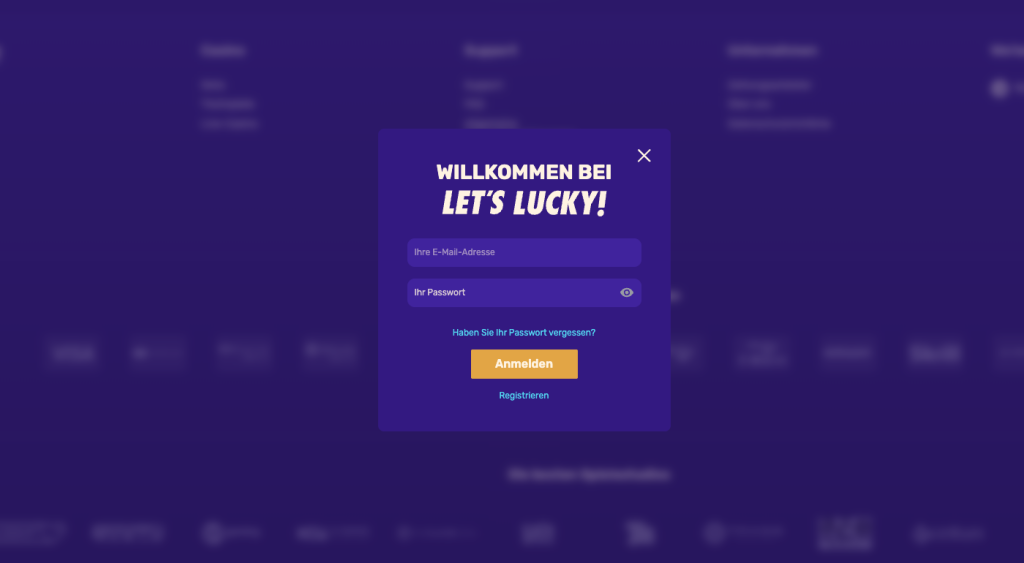
Logging in to your LetsLucky account takes only a few seconds. The process is designed to be as frictionless as possible so you can get to playing without unnecessary delays. Whether you are on desktop or mobile, the steps are the same and the experience is consistent across both.
Follow these steps to sign in:
Once logged in, you will land directly on your account dashboard where your game library, account settings, and everything else are ready to go. If you have enabled any additional verification steps, you may be prompted to complete those before gaining full access.
For New Zealand players signing up for the first time, the registration process follows a similar path. Click the registration or sign-up button on the homepage and fill in your basic personal details as prompted. You will receive a confirmation email to verify your address, after which your account is activated and ready to use. The whole process is designed to take only a few minutes from start to finish, with no complicated requirements standing in the way.
Security is built into every step of the LetsLucky login process. The platform uses SSL encryption across all connections, meaning the data you enter during login is protected from the moment you type it to the moment it reaches the server. Your credentials are never transmitted in plain text, and your account information is stored securely at all times.
LetsLucky also employs session monitoring to detect unusual activity. If a login attempt appears suspicious or originates from an unrecognized device or location, additional verification may be triggered automatically. This is a protective measure designed to ensure that only you can access your account, even if your credentials were somehow compromised elsewhere.
New Zealand players are encouraged to use a strong, unique password for their LetsLucky account and to avoid reusing passwords from other platforms. Keeping your registered email address up to date and secure also plays an important role in maintaining account safety. Avoiding login on shared or public devices where possible, and logging out after each session when using a shared device, are simple habits that add an important extra layer of protection. If you ever feel that your account may have been accessed without your knowledge, contact the LetsLucky support team immediately for assistance.
Occasionally players may run into issues when trying to access their account. Most of these are straightforward to resolve and do not require contacting support.
Forgotten Password
If you cannot remember your password, the reset process is simple and takes only a few minutes to complete:
If the reset email does not appear within a few minutes, check your spam or junk folder. The email is sent automatically and should arrive promptly. If it still does not appear after checking, contact the support team for assistance.
Account Access Issues
If you are entering the correct credentials but still cannot log in, there are a few common causes worth checking before reaching out to support. Make sure your caps lock is not on, as passwords are case sensitive. Clearing your browser cache and cookies and trying again resolves the issue in many cases. Trying a different browser or device is also worth doing to rule out a local problem. If none of the above resolves the issue, the LetsLucky support team is available to help you regain access quickly and securely.
If you do not have an account yet, joining LetsLucky as a New Zealand player is a simple process that takes only a few minutes. Once registered, you will have full access to the platform including the complete game library, account management tools, and everything else the casino has to offer.
The registration form is straightforward and asks only for the basic details needed to set up your account. After submitting your details you will receive a confirmation email to verify your address. Once verified, you can log in immediately and start exploring the platform. Your account dashboard gives you access to games, promotions, payment options, and support all from one place.
LetsLucky is designed to make the onboarding experience as smooth as possible for Kiwi players. There are no complicated requirements and no unnecessary steps between you and the platform. Visit the Bonuses and Promotions page to see what is available to new and returning players once your account is set up.
Go to the LetsLucky website and click the login button in the top right corner. Enter your registered email address or username and your password, then click sign in to access your account.
Click the forgot password link on the login screen and enter your registered email address. You will receive a password reset email with a link to create a new password. If the email does not arrive, check your spam folder.
Yes. LetsLucky uses SSL encryption to protect all login data and employs session monitoring to detect unusual activity. Your credentials and personal information are stored securely and protected at every level.
Yes. The LetsLucky platform is fully optimized for mobile devices. New Zealand players can log in through their mobile browser on any smartphone or tablet and access their full account without any loss of functionality.
Common reasons include an incorrect password, caps lock being active, or a browser cache issue. Try resetting your password, clearing your browser cache, or using a different device. If the issue persists, contact the LetsLucky support team for assistance.